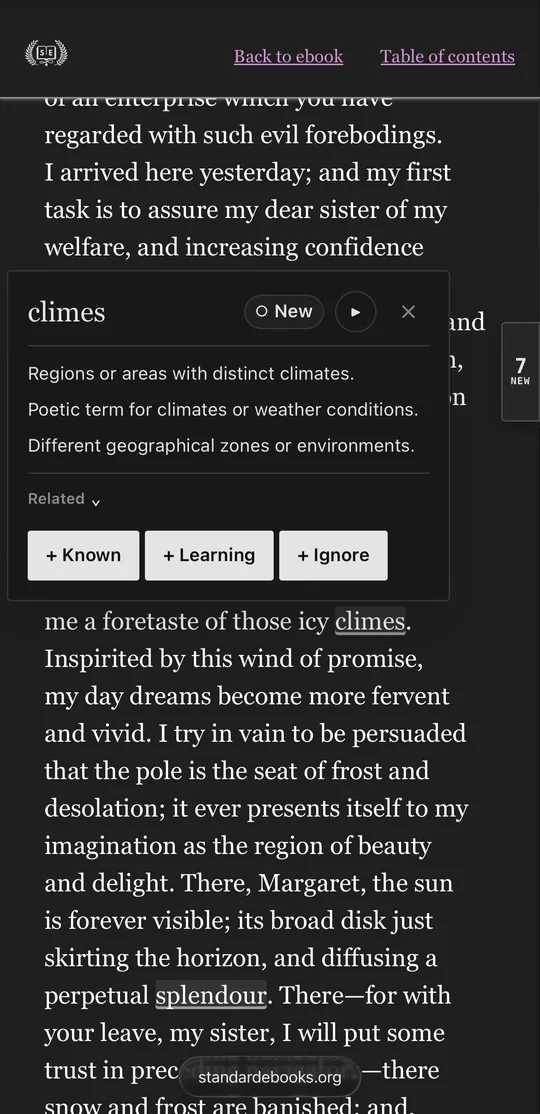
You will rejoice to hear that no disaster has the of an enterprise which you have regarded with such evil . I arrived here yesterday, and my first task is to assure my dear sister of my welfare and increasing confidence in the success of my .
See which English words you don’t know, right on the page.
Tap an underlined word to see what it means.
Right here in this browser. Nothing to install.
Want it on every site you read?
On iPhone and iPad, WordySpot runs only in the Orion or Teak browser — see both. On Android, WordySpot runs in Firefox, Vivaldi and a few others, but not in Chrome — see them all. WordySpot is not available in this browser — add it to Chrome or Firefox instead, or see the other options.
Also for Chrome Also for Firefox Try it on a sample page Read a free classic here Create your free account Already have an account? Sign in
Step 1 On the store page, click Add to Chrome
Step 1On the store page, click Add to Chrome
Step 2Chrome asks to confirm. Click Add extension
Step 3A WordySpot tab opens by itself and connects. Sign in if it asks.
Step 3You’re connected. Setup is done.
Step 4Open any page in English. Words that are new to you are underlined.
Step 4Click a word to see what it means
Step 4▶ plays how it sounds
Step 4+ Learning saves it
LaterSaved words are in My Words on wordyspot.com
LaterClick one to see its meaning again
Step 1On Firefox Add-ons, click Add to Firefox
Step 2Firefox asks to confirm. Click Add
Step 3A WordySpot tab opens by itself and connects. Sign in if it asks.
Step 3You’re connected. Setup is done.
Step 4Open any page in English. Words that are new to you are underlined.
Step 4Click a word to see what it means
Step 4▶ plays how it sounds
Step 4+ Learning saves it
LaterSaved words are in My Words on wordyspot.com
LaterClick one to see its meaning again
Free classics
Read a whole book here, with the new words explained
87 well-known books, free to read without an account or an install. Tap an underlined word to see what it means.
A Christmas Carol
About 6.5 new words in every 100
A miser meets three ghosts on Christmas Eve. Short and warm.
The Call of the Wild
About 6.6 new words in every 100
A stolen dog learns to survive in the Yukon gold rush.
The Strange Case of Dr. Jekyll and Mr. Hyde
About 4.8 new words in every 100
A respected doctor and his monstrous other self. A short, tense read.
While you read
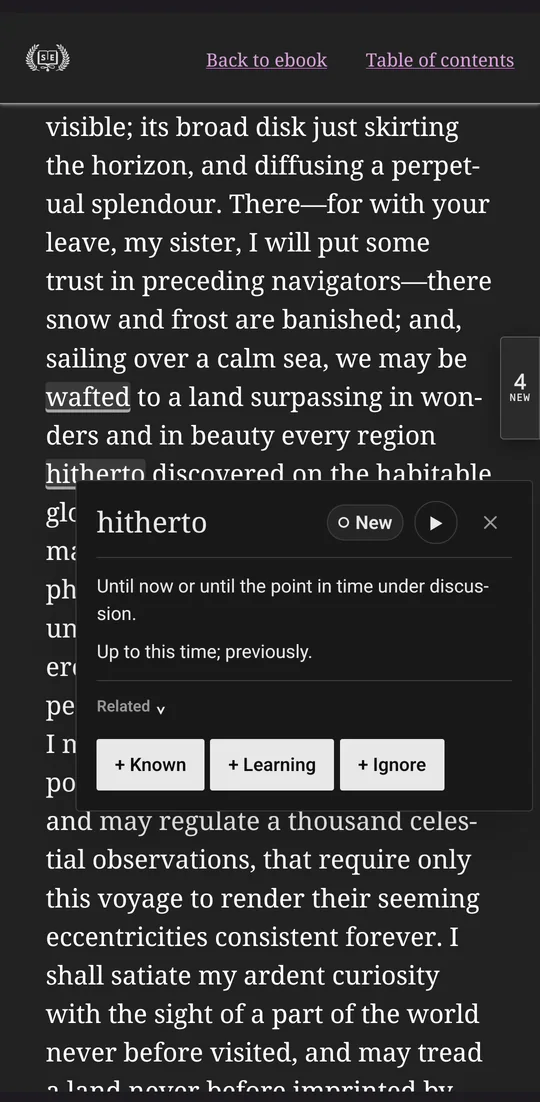
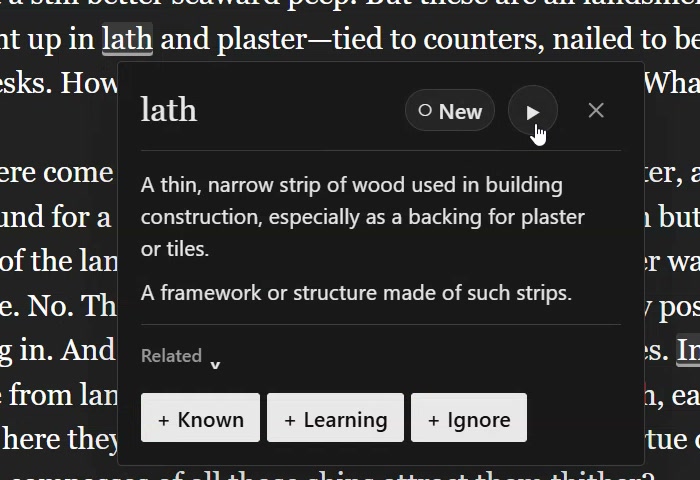
Click an underlined word to see what it means
- Short definitions written for learners
- ▶ plays how the word sounds
- Known stops underlining it, Learning saves it, Ignore skips it
- The number at the edge of the page counts its new words
Afterwards
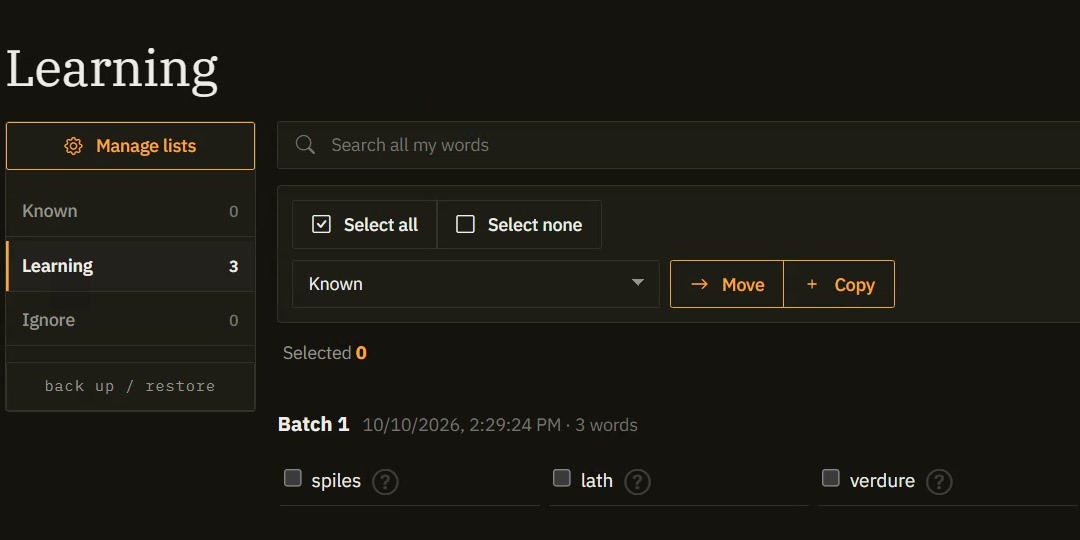
Saved words wait for you in My Words
- Known, Learning, Ignore and your own lists
- The same words in every browser you connect
Questions people ask first
Does it cost anything?
No. WordySpot is free while in beta, and you never enter a card to start.
Do I need an account?
Yes, a free one. It’s where your words are kept, and you make it during setup.
Will it read my private stuff?
Page text is checked inside your browser to decide what to underline. A word leaves your browser only when you open its definition (by pointing at it or clicking it), play it or save it. It does not run in private or incognito windows, and you can switch it off for any site. When you add it, your browser shows its standard notice about reading page data; it shows that for every extension that works inside web pages. Read the extension’s privacy policy
Can I use it on my phone?
On iPhone and iPad it runs in Orion or Teak, and on Android in Firefox, Vivaldi and a few others. Chrome on phones doesn’t allow extensions. See which browsers work
How do I remove it?
Right-click the WordySpot icon in your browser’s toolbar or Extensions menu and choose “Remove from Chrome”, or “Remove Extension” in Firefox.
Ready-made vocabulary
Or start from a word pack someone already built
Load a themed word list and treat it as known from day one.

1,000 Words Used More Often in Movies Than in Wikipedia
Featured20 pages · 1,000 words
1000 words that appear more frequently in movies than in wikipedia articles.

1,000 Words Used More Often in Movies Than in Reddit Comments
Featured20 pages · 1,000 words
1000 words that appear more frequently in movies than in reddit comments.

Add WordySpot to your browser
Setup takes about a minute. Everything in the video above is free while in beta.
Stuck at any step? Email support@wordyspot.com or send me a message. I read every one.