Page text stays in your browser
Visible text is processed locally to decide what to mark; hidden or unavailable page text is excluded. The pages you visit are not uploaded to WordySpot.
Browser extension
Point at one and a card explains it and says it out loud. Save it, and it waits for you in My Words.
On iPhone and iPad, WordySpot runs only in the Orion or Teak browser — see both. On Android, WordySpot runs in Firefox, Vivaldi and a few others, but not in Chrome — see them all. WordySpot is not available in this browser — add it to Chrome or Firefox instead, or see the other options.
Also for Chrome Also for Firefox Try it on a sample page Read a free classic here Create your free account Already have an account? Sign in
On every page you read
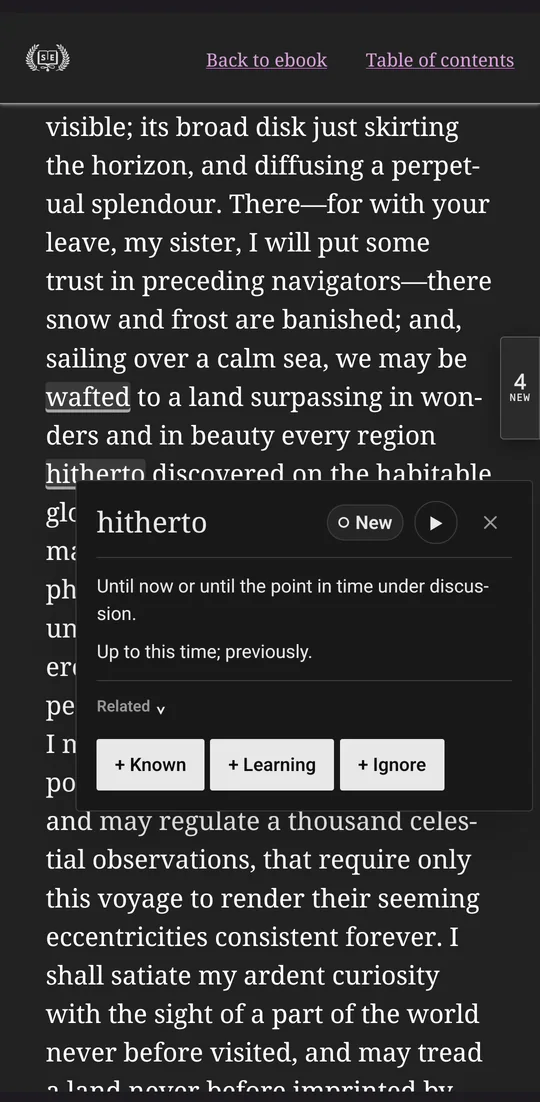
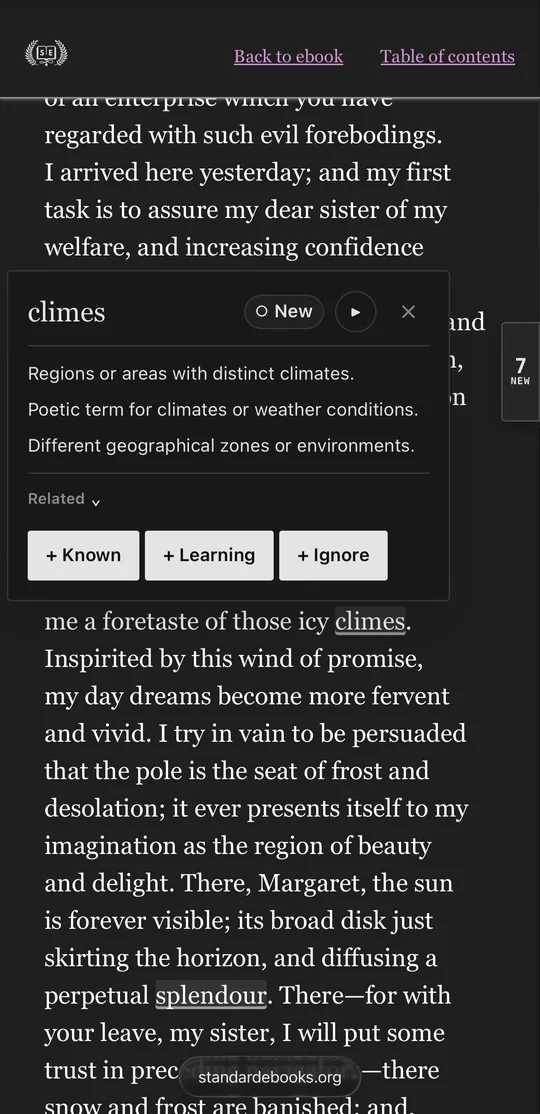
When a page opens, WordySpot underlines the words that are probably new to you. The most common English words never are, and neither is a word you have marked as known. The WordySpot button in your toolbar counts them, and on a phone so does a small tab at the edge of the page.
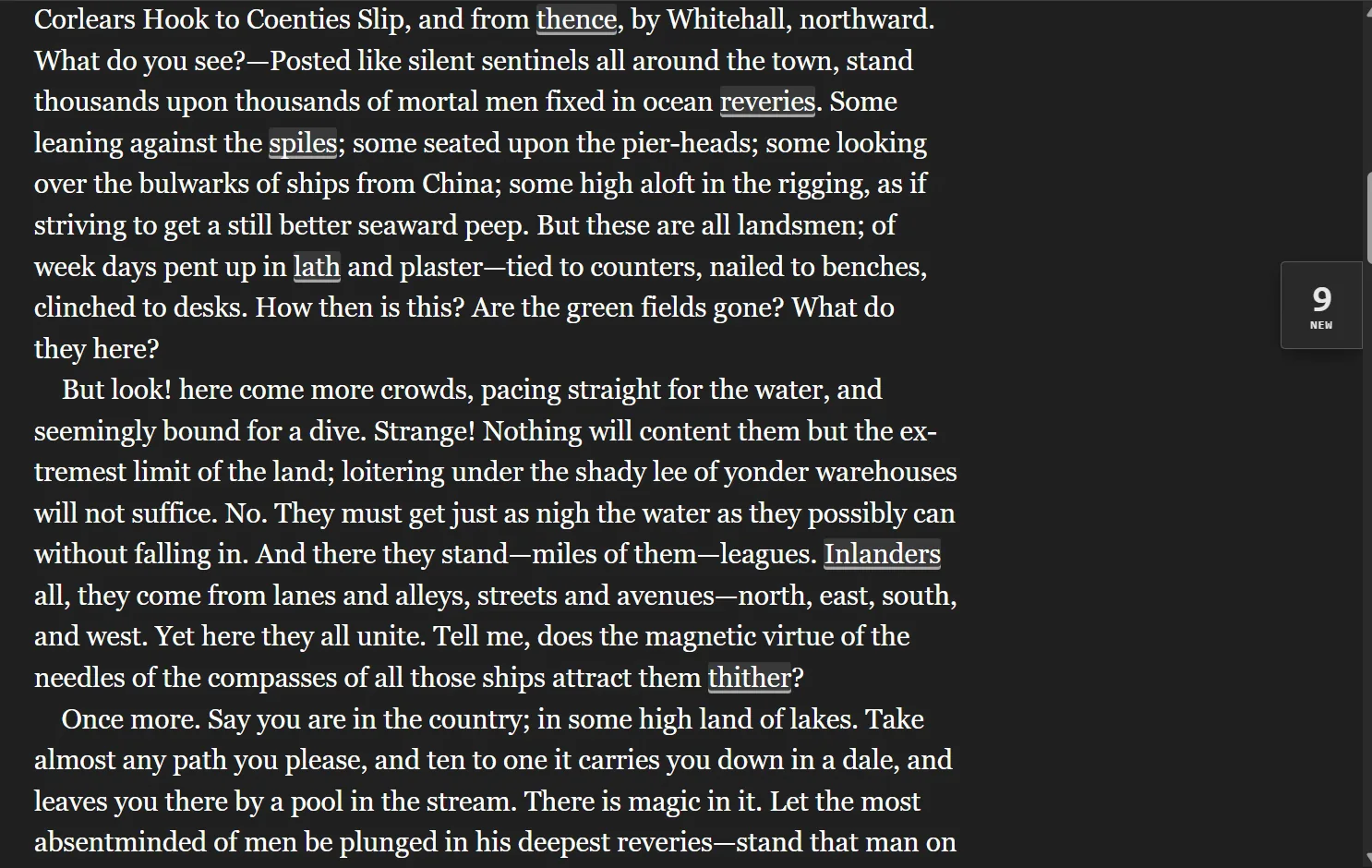
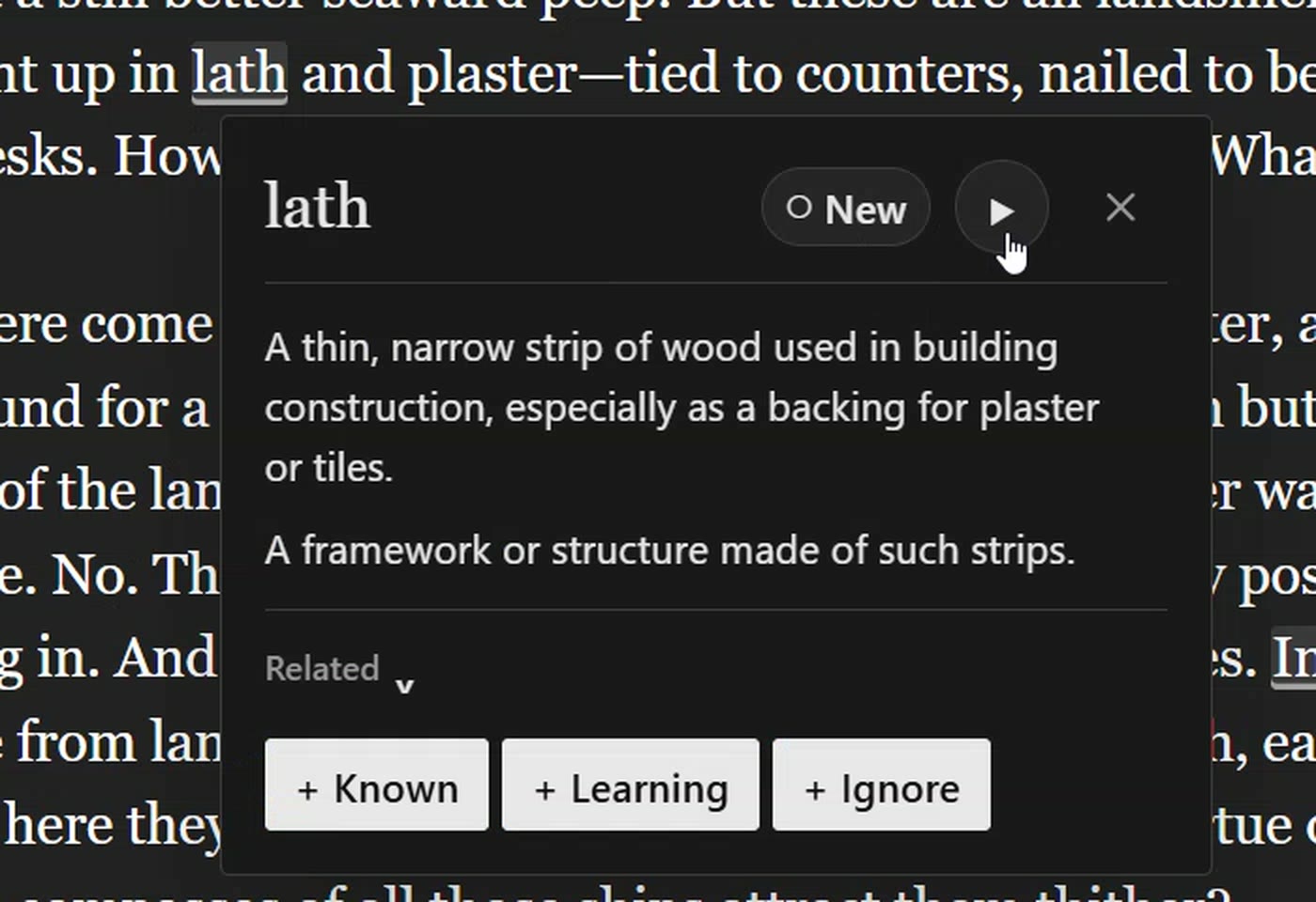
On a phone, tap it. A card opens over the page with short definitions written for learners and ▶ to hear the word. Its three buttons sort it:
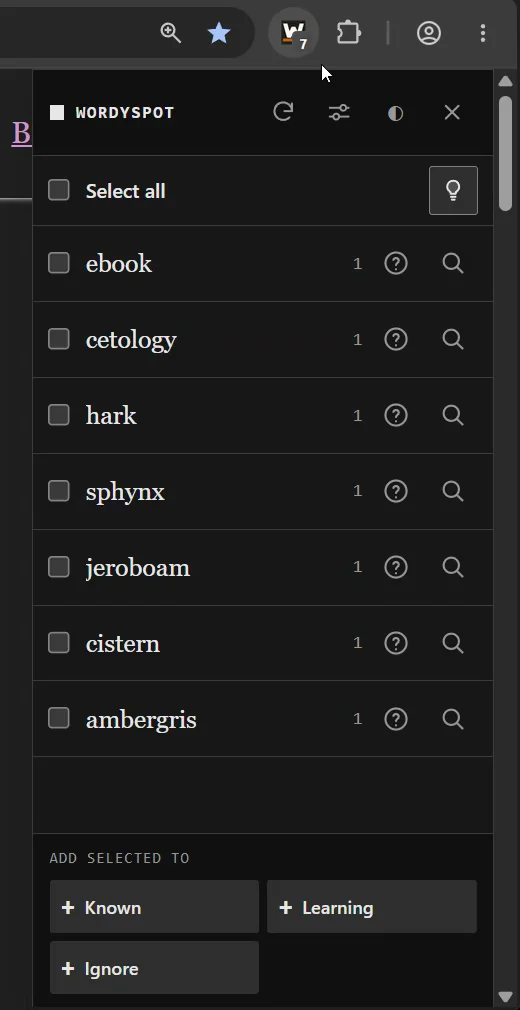
The panel lists every new word on the page and how often it turns up. Tick the ones you already know, mark them all in one go, and read on.
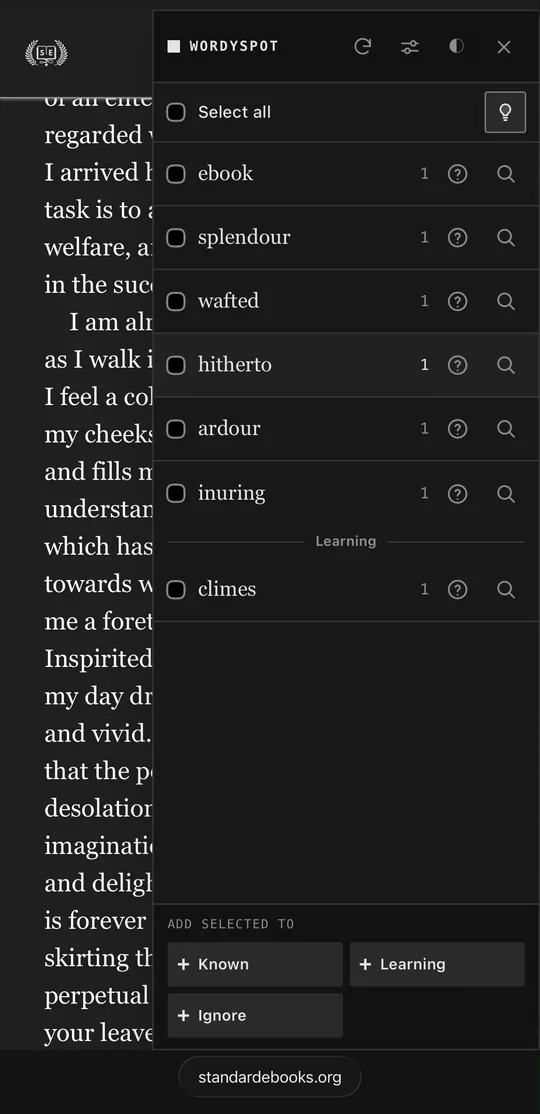
Every word you sort is kept on wordyspot.com, in Known, Learning, Ignore and any lists of your own, and the same words follow you to every browser you connect.
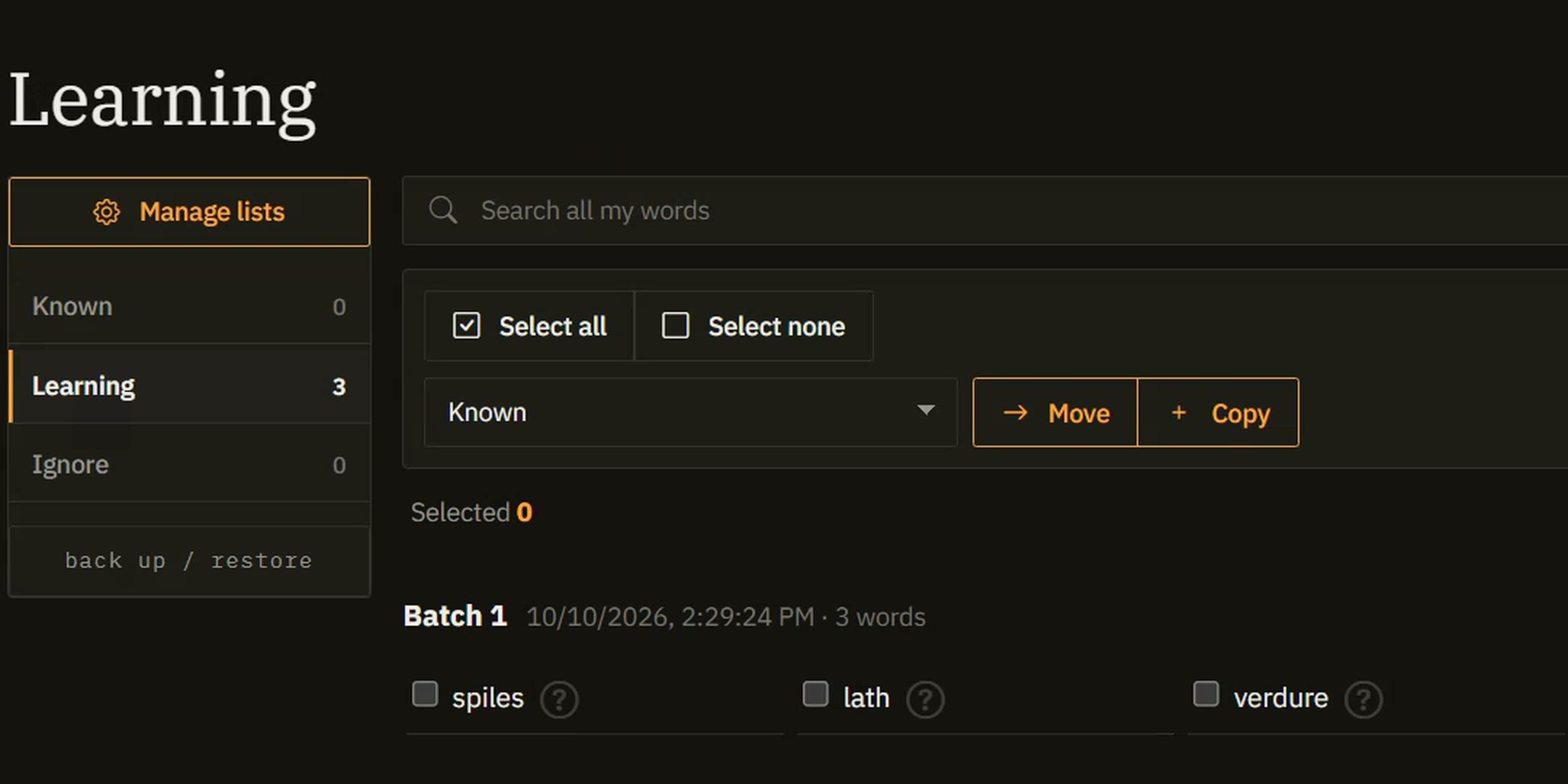
How to use WordySpot: every button and setting, with screenshots
In about a minute
Add it from the store and a setup tab opens by itself. Sign in, or make a free account there, and it connects. Then open anything you want to read.
Step 1 On the store page, click Add to Chrome
On a phone
Chrome and Safari on phones can’t run extensions, but these browsers can. Each one has a short video of the whole setup, tap by tap.
Your reading
There is no company behind WordySpot — it is one developer, not a startup with investors. No ad business, no data to resell, no growth team asking for your browsing history. The reasons other extensions end up watching you do not exist here, and the three rules below are what that looks like in practice.
Visible text is processed locally to decide what to mark; hidden or unavailable page text is excluded. The pages you visit are not uploaded to WordySpot.
A word leaves your browser when you open its definition, play its pronunciation, or save it to a list.
The extension does not run in private or incognito browsing, and is not used to collect your browsing history.